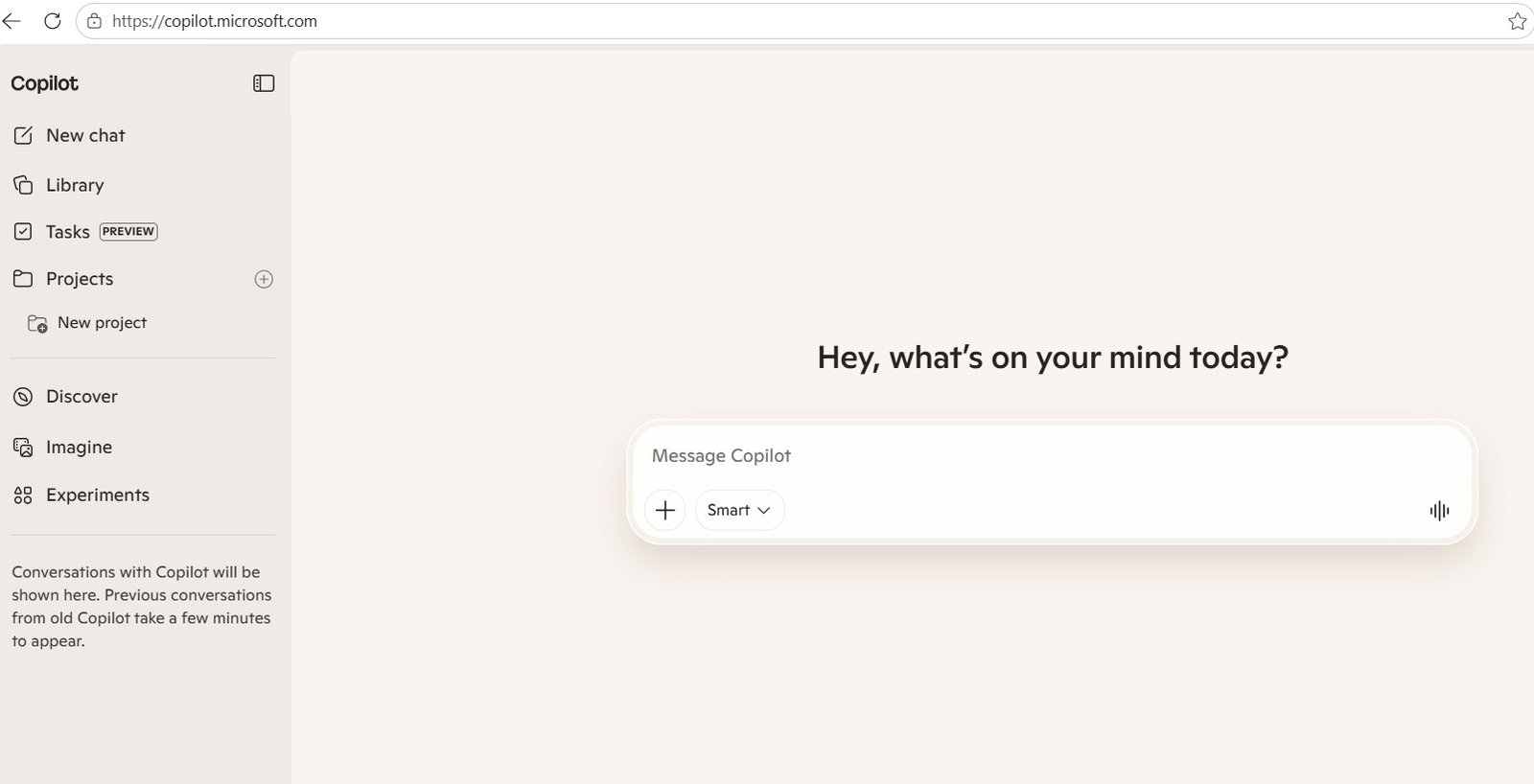
Microsoft is changing the way people interact with Copilot.
As artificial intelligence becomes increasingly integrated into everyday work, Microsoft’s focus is shifting beyond simply improving the answers Copilot provides. The company is also working to make the overall experience easier to understand, particularly for people who use different Microsoft accounts for personal, school, and professional activities.
Microsoft has introduced an updated Copilot experience across its web, desktop, and mobile platforms. The changes affect areas such as navigation, appearance, available features, and the way users sign in and interact with their accounts.
For users who regularly move between personal and work accounts, these changes could make Copilot easier to navigate and understand.
The latest Copilot update is designed around a simpler and more unified experience.
Previously, users could encounter differences depending on whether they were accessing Copilot through a personal Microsoft account, a work or school account, or a particular Microsoft application. The updated experience aims to make those distinctions clearer while creating a more consistent interface.
Microsoft says users may notice changes to:
The exact experience can vary depending on the account type and device being used.
This means two people using Copilot may not necessarily see exactly the same options. Account type, licensing, platform, and organizational settings can influence which capabilities are available.
One of the biggest challenges with modern AI services is that they are no longer standalone tools.
Copilot can work across Microsoft’s growing ecosystem, including applications and services used for communication, productivity, document creation, research, and collaboration. As these connections become more sophisticated, users need to know which account they are using and what information Copilot can access.
For example, someone might use one Microsoft account for personal activities and another for their workplace. Mixing the two can create confusion about where information is coming from and which Copilot capabilities are available.
The updated account experience appears to address this problem by creating a more cohesive environment while maintaining distinctions between different account types.
The new experience does not mean that personal and organizational Copilot accounts suddenly become identical.
They can still provide different capabilities.
A personal account is generally intended for individual use, while a work or school account operates within an organization’s Microsoft environment. Organizational Copilot experiences can be subject to company policies, security controls, licensing, and access permissions.
Microsoft’s current Copilot documentation also distinguishes between Copilot Chat and Microsoft 365 Copilot. For organizations, Copilot Chat can provide AI-powered conversations while respecting enterprise data protection requirements. Microsoft 365 Copilot adds broader capabilities and deeper integration with workplace content and Microsoft 365 applications, depending on licensing.
This distinction is particularly important for businesses adopting AI at scale.
Data can be filtered by video status, format, and access type, and a “New creator video” option lets advertisers add a video manually. Metrics don’t populate on their own — the tool prompts advertisers to request access to a creator’s videos first.
Another important part of the update is its broader availability.
Microsoft’s updated Copilot experience applies to the web, desktop, and mobile versions of the product. The company began making the updated app experience available on August 18, 2026.
For users, this means the transition isn’t limited to one particular device.
Someone might use Copilot on a smartphone during the day, switch to a desktop computer for work, and access it through a browser later. Creating a more consistent experience across these environments can reduce the learning curve when switching between devices.
However, users should still expect differences because features can depend on account type, platform, subscription, and Microsoft’s rollout process.
The update is especially relevant for organizations that have started incorporating AI into everyday workflows.
Businesses need to understand that AI tools are increasingly becoming connected to company data and productivity systems. Account management therefore becomes more than a simple login issue.
Microsoft’s business-focused Copilot experiences are designed around enterprise security and organizational controls. For example, Copilot Chat for work and education accounts includes enterprise data protection, while access to organizational information depends on the specific Copilot experience and configuration.
For IT teams, this makes it important to communicate clearly which Copilot account employees should use for different activities.
For most users, there is no reason to panic about the update.
The best approach is simply to become familiar with the new interface and verify that the correct Microsoft account is being used.
Here are a few practical steps:
Before using Copilot for sensitive or work-related tasks, look at the account currently signed in.
This is particularly important if you have both personal and business Microsoft accounts.
Don’t assume that every Copilot feature will appear on every account.
Features can differ based on licensing, platform, account type, and organizational settings.
If your company provides a Microsoft account for work, use that account when interacting with organizational information.
Likewise, keep personal activities within your personal Microsoft account.
The updated Copilot experience may look different from what you’re accustomed to. Navigation and feature placement can change as Microsoft continues to refine the product.
Because Copilot is evolving rapidly, Microsoft’s support and product documentation remain useful sources for understanding account-specific changes and available features.
Although users will notice changes to the interface, the significance of the update goes beyond appearance.
Microsoft is attempting to make Copilot a more unified AI experience while accommodating different types of users and accounts.
This becomes increasingly important as Copilot expands from a question-and-answer assistant into a broader productivity platform.
Microsoft is also developing more advanced agent-based capabilities. For example, Copilot Cowork is designed to handle complex, longer-running tasks and can work with organizational context when used with supported work or school accounts.
As AI becomes capable of performing more actions rather than simply generating responses, clearly separating personal and organizational contexts becomes increasingly important.
Account separation also has an important privacy dimension.
Users should not assume that information available through one Microsoft account is automatically available through another. Different Copilot experiences have different data access rules and protections.
Microsoft’s current documentation explains that Copilot experiences for work can operate with enterprise data protection, while the information available to Copilot depends on the particular product, account, permissions, and configuration.
This is why checking the account you’re signed into is a simple but valuable habit.
Before entering confidential business information into an AI tool, users should also follow their organization’s AI and data-handling policies.
The account experience update is one piece of a much larger development.
Microsoft is steadily positioning Copilot across its ecosystem rather than treating it as a single chatbot.
The company’s AI strategy now includes conversational assistance, document creation, research, productivity features, AI agents, and integrations with workplace applications.
That evolution changes what users expect from an AI assistant.
Instead of opening a chatbot only when they have a question, users may increasingly encounter AI directly inside the tools they already use.
As this happens, account identity becomes more important because the AI’s capabilities and information access can depend on who is signed in.
Copilot is unlikely to remain static.
Microsoft continues to introduce changes to its AI products, and some features are rolled out gradually rather than becoming available to everyone at exactly the same time.
Users may therefore see differences in Copilot depending on their location, account type, device, subscription, or organizational configuration.
The latest account experience should be viewed as part of Microsoft’s broader effort to make Copilot easier to use while preparing the platform for more advanced AI capabilities.
Microsoft’s new Copilot account experience may initially look like a routine interface update, but it reflects a bigger shift in how AI assistants are becoming part of everyday digital work.
The distinction between personal, school, and workplace accounts is becoming increasingly important as Copilot gains access to more tools, applications, and organizational context.
For businesses, the update is another reminder that successful AI adoption involves more than choosing an AI tool. Organizations also need clear policies around accounts, permissions, security, privacy, and responsible AI usage.
As Microsoft continues expanding Copilot, these account and identity considerations are likely to become an increasingly important part of the AI experience.